
One payment. No subscription. Any niche, any city.
Every local business in your city, with a phone, an email and the person to call. In one CSV.
Plumbers, dentists, gyms, law firms, restaurants, agencies, realtors. If it has a Google Maps listing, this Chrome extension pulls it into a contact-ready lead list. One payment, no subscription.
- $97 once, never monthly
- Delivered by email in minutes
- Unlimited searches and exports
- Runs in your own Chrome
Sound familiar?
The list you are working from is the problem.
Most outreach fails before the first call, because the list it starts from was built one of these three ways.
Copying from Maps by hand
Forty listings an hour if you are fast. No email, no owner's name, and a spreadsheet full of typos by the end of the afternoon.
Buying lists that are already stale
Sold to a dozen other people, scraped months ago, full of businesses that have closed or moved. And you pay per record for the privilege.
Emailing info@ inboxes nobody reads
A generic address is not a lead. You need the owner, the office manager or the partner, and a direct line for each of them.
Here is what it does
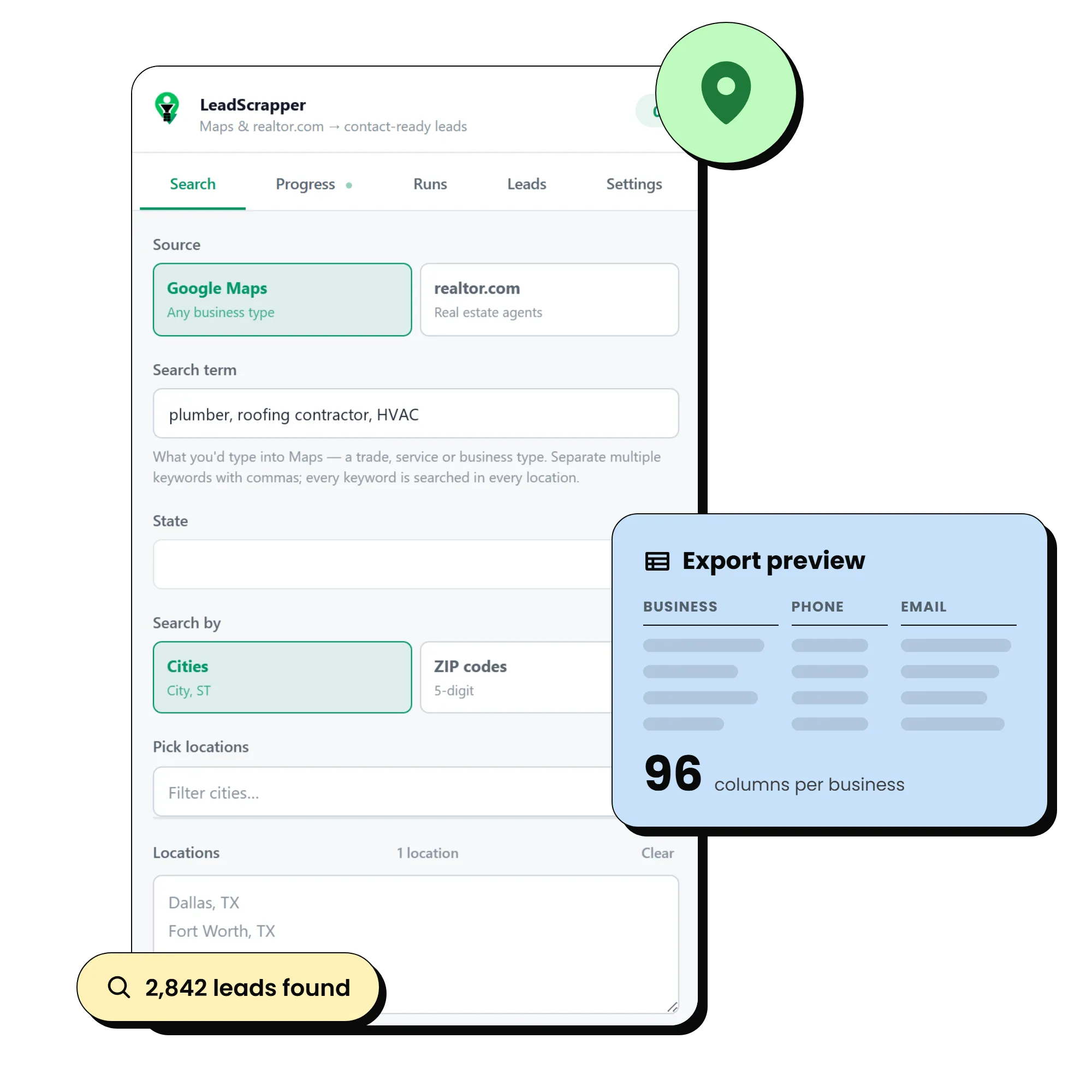
Type a business type and a few cities. Open the CSV.
LeadScrapper is a Chrome extension that sits in the side panel next to Google Maps. It opens every listing for its full record, visits every website for an email and a named contact, then merges and dedupes the lot across all your locations.
Every business for any search term, across any list of cities or ZIP codes
Phone, website, email, Facebook, Instagram, LinkedIn and TikTok on each row
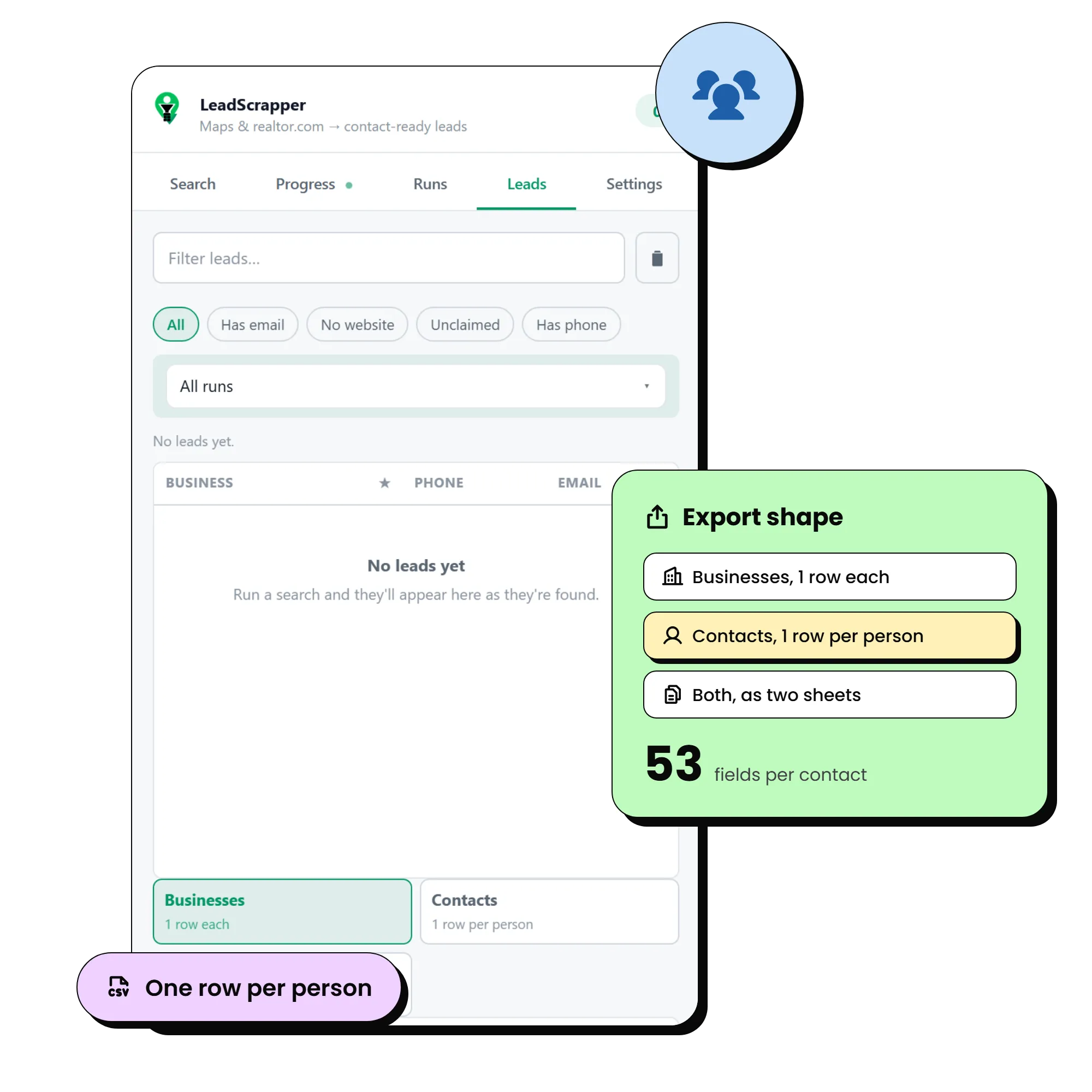
The decision maker named on the row: name, title, direct line, email, LinkedIn
Rating, review count, claimed status, category, full address, hours, coordinates
A website audit per lead: HTTPS, mobile friendly, platform, tracking, site age
A pitch angle written into its own column, so you know why you are calling
Filters for no website, no email, unclaimed listing and minimum rating
Export to CSV, Excel or JSON as businesses, contacts, or both as two sheets
Runs that survive a closed panel, a restart or a power cut, and resume
realtor.com agents as a second source, for anyone selling to real estate
Any niche
If it has a Google Maps listing, it goes on the list.
There is no menu of supported industries. You type the search term exactly as you would into Maps, and it pulls whatever comes back. A few that people run every week:
- Plumbers
- Roofers
- HVAC
- Electricians
- Dentists
- Chiropractors
- Med spas
- Vets
- Law firms
- Accountants
- Insurance agencies
- Financial advisors
- Restaurants
- Coffee shops
- Retail stores
- Bakeries
- Salons and barbers
- Gyms and studios
- Auto shops
- Movers and towing
- Landscapers
- Cleaning companies
- Photographers
- Realtors and lenders
Plus anything else you can think of. Search by cities or by ZIP codes, one at a time or a whole state.
Who this is for, and who it is not.
You sell anything to local businesses: software, services, supplies, marketing, insurance, finance.
You run an agency or freelance and need a fresh list for a new client in a new niche every week.
You grow through referral partners and want every one of them in a territory, with a direct line.
You are tired of paying per record for lists that were sold to ten other people first.
You want consumer leads. This pulls businesses and the people who work at them, not homeowners.
You need it to run on a phone or a Mac without Chrome. It is a Chrome extension and lives in the side panel.
You expect a million rows overnight. It runs at a deliberate pace so your connection does not get blocked.
You want someone else to do the calling. It builds the list. The outreach is still yours.
How it works
Three steps. About five minutes.
Pay once
$97, one time. The extension file and a one-page install guide land in your inbox within minutes.
Install in Chrome
Open chrome://extensions, switch on Developer mode, click Load unpacked and choose the folder. Pin the icon. About a minute.
Run your first list
Type a business type and a few cities. Leads appear as they are found, with emails and names filling in behind them. Export whenever you like.
What one run actually produces.
2,842
leads from one completed run
One search term, one list of cities, one sitting.
96
columns for every business
Phone, email, socials, rating, address, hours, website audit.
53
fields for every person found
Name, title, direct line, email, licence number, LinkedIn.
A reason to call, on every row.
Every website is checked for HTTPS, mobile friendliness, platform, tracking and how old it looks. Facebook adds followers and how long since the last post. The pitch angle is written into its own column, so a web designer filters to "no website", an agency filters to "quiet Facebook", and an insurance agent sorts by rating and review count.
Get LeadScrapper for $97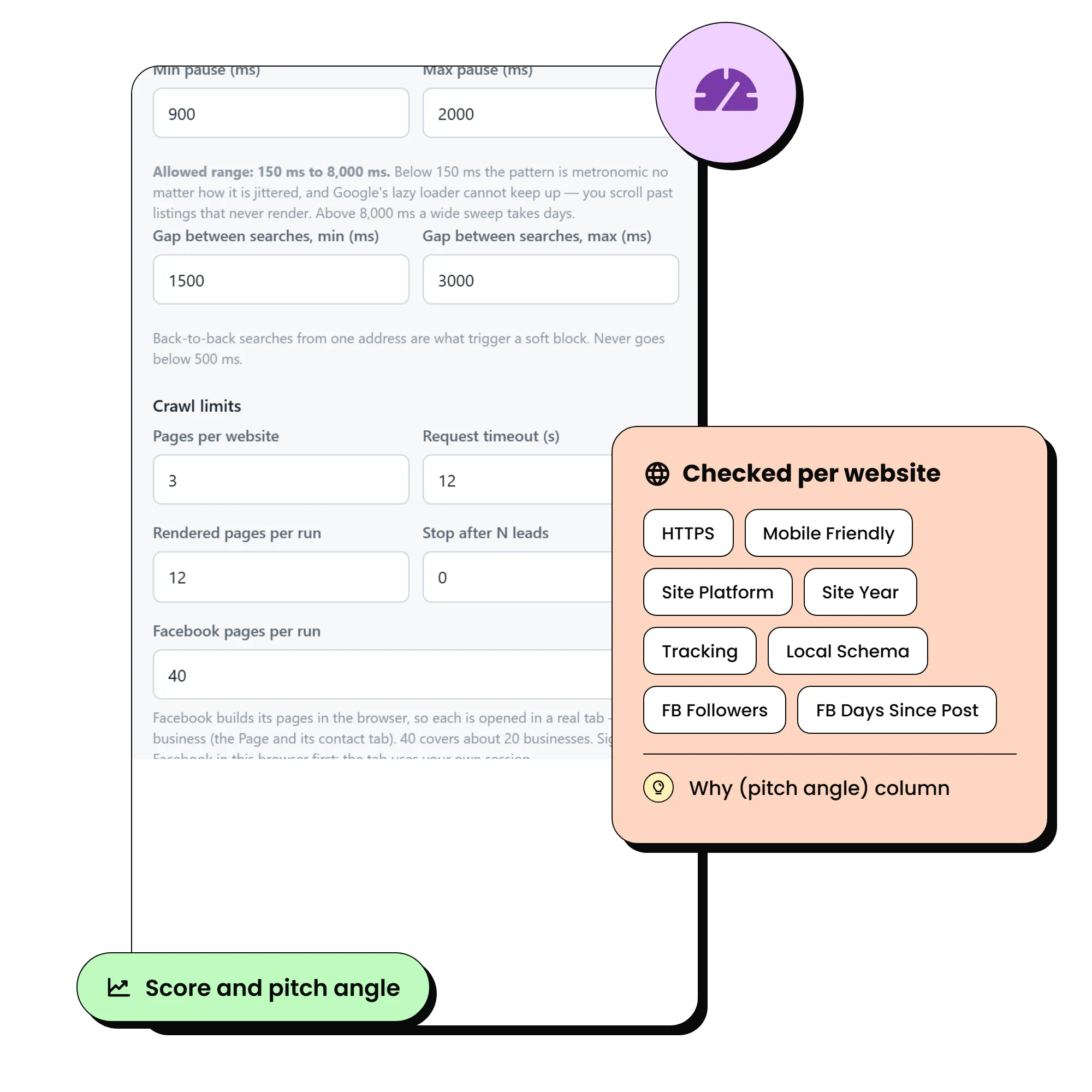
Do the maths
Three ways to get a list. One of them is $97, once.
Buying a list
- Priced per record, every time you need a new niche or city
- Same list sold to everyone else in your market
- Months old by the time it reaches you
- No decision maker, no website audit, no reason to call
Doing it by hand
- About 40 listings an hour, on a good day
- Emails and names mean opening every website yourself
- Typos, duplicates and gaps in every sheet
- Starts again from zero for the next niche
LeadScrapper
- $97 once, then run it as often as you like
- Any niche, any city, fresh from Maps the day you run it
- Emails, socials and named contacts filled in for you
- Deduped, filtered and exported in the shape your CRM wants
The offer
One payment. Yours for good.
Most popular
Unlimited plan
Unlimited lead exports. Any niche, any city.
One payment
$97
one time, no subscription
- Unlimited lead exports
- Everything in Starter
- Facebook page enrichment
- No export ceiling, no per-lead cost
- Chrome compatibility updates included
- Email support
- Secure checkout
- No recurring charges
- Delivered by email in minutes
Prefer Starter at $47 for 5,000 leads exported to csv? Choose it on the next page. All sales are final once payment is taken.
Read this before you buy.
Four things it will not do. Better to know now than after paying.
Google caps one search at roughly 120 results
That is their limit, not ours. Add more cities or ZIP codes to go wider. The panel tells you when it hits the wall instead of pretending it collected everything.
It runs at a deliberate pace
Randomised pauses, a few concurrent fetches, and backoff when a source pushes back. Going faster gets your own connection soft blocked, so speed is capped on purpose.
Not every business publishes an email
Enrichment checks the homepage and up to two contact pages, then gives up and marks the row rather than guessing an address.
How you use the data is on you
Collecting public business contact details is normal prospecting, but the terms of each source and the marketing law where you and your prospects sit are your call. Read the terms.
Questions people ask before they buy.
Is $97 really the whole price?
Yes. One payment for the Unlimited plan. No subscription, no renewal, no per-lead cost, no account to keep alive. A $47 Starter plan with 5,000 leads exported to csv is on the checkout page if you prefer it.
Does it work for my niche?
If the businesses you want have a Google Maps listing, yes. Type the search term exactly as you would into Maps. Plumbers, dentists, gyms, law firms, restaurants, agencies, dealerships, anything. realtor.com agents are a separate source for real estate.
What do I actually receive?
The packaged extension file and a one-page install guide, sent to the email you pay with within minutes. It loads in Chrome in under a minute.
Do I need any technical skills?
You need to be able to load a Chrome extension from a folder, which takes about a minute and is walked through in the install guide. Everything after that is a search box and a Start button.
Where does my data go?
Nowhere. The extension runs inside your browser and stores leads there. Exports go straight to your Downloads folder. We never see them.
Can I use it for more than one niche or city?
Yes. There is no limit on searches or runs. The Starter plan caps exports at 5,000 leads in total. Unlimited has no ceiling.
Can I get a refund?
No. All sales are final once payment is taken. Everything the product does and does not do is on this page, and you can ask anything before you buy. Full detail in the refund policy.
Your niche, your city, in a CSV, today.
$97 once. No subscription, no per-lead cost. The extension is in your inbox within minutes.
Get LeadScrapper for $97This site is not part of Facebook, Instagram or Meta, and is not endorsed by Meta in any way.