

Chrome Extension · Features
Everything the extension does, and every column.
The LeadScrapper Chrome Extension searches Google Maps or realtor.com, opens every listing and website, finds the people behind each business, scores the lead and exports it to CSV, Excel or JSON. It is a separate product from the LeadScrapper platform. Every feature below is in every extension plan, except Facebook enrichment, which comes with Unlimited and Reseller.
What is the LeadScrapper Chrome Extension?
The LeadScrapper Chrome Extension is a lead-generation tool you run yourself. You type a business type and a list of cities or ZIP codes, and it builds a deduplicated lead list with phones, emails, social profiles, named staff and a website audit for each business. It runs in Chrome's side panel and keeps your leads in your own browser.
Inside Chrome it shows as Lead Grabber. It is the same product. See how it works for the step-by-step version.
Sources and search
Where the leads come from and how a search is set up.
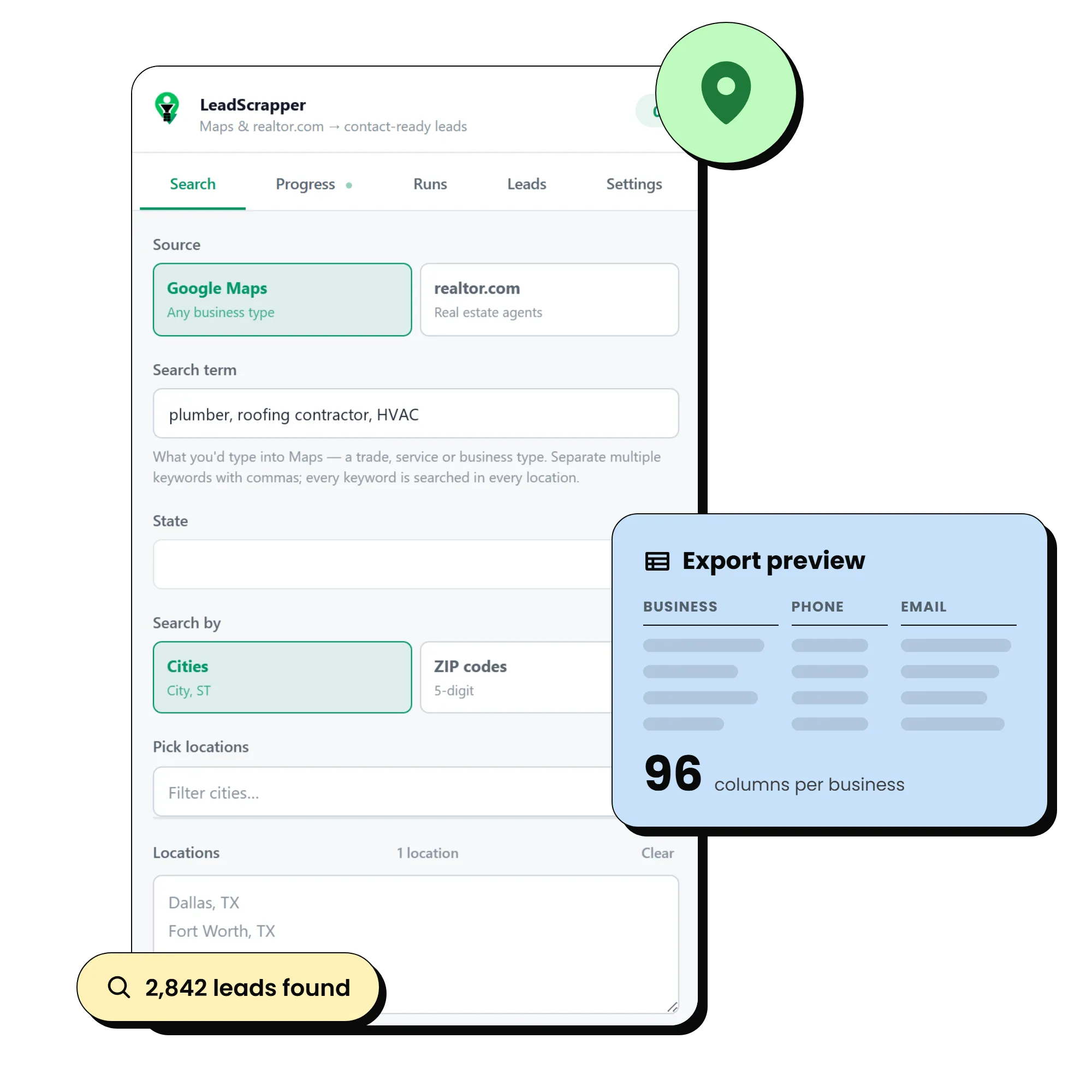
Google Maps, any niche
Type what you would type into Maps (dentist, roofing contractor, mortgage broker). Separate several keywords with commas and every keyword runs in every location.
realtor.com agents
Switch the source to realtor.com and it works through the agent directory for each city or ZIP, about 20 agents per directory page.
US state, city and ZIP picker
Pick a state, then add every city, a handful of cities, or drill into ZIP codes. Everything you pick lands in an editable locations box, one per line.
Fast or Deep mode
Fast reads the results list. Deep also pulls each listing's full record: address parts, plus code, coordinates, Place ID, all seven days of hours, description and services.
Merged and deduped
Each location is searched in turn. A business that shows up in two cities is stored once.
Filters before export
Minimum rating, minimum reviews, phone required, and only businesses without a website, which is the filter most web and marketing sellers want.
Contact enrichment
Turning a listing into someone you can actually reach.
Emails from the website
Find emails and socials visits each business website, checks the homepage and up to two contact-style pages, and records every address it finds.
Six social profiles
Facebook, Instagram, LinkedIn, X, YouTube and TikTok each get their own column.
Email domain check
An optional check confirms the address's domain can receive mail and flags shared inboxes such as info or sales. It cannot prove a single mailbox exists, and it says so.
Facebook page enrichment
Opens the business's Page and its contact tab for email, phone, address, followers and how long since the last post. Needs you signed in to Facebook in that browser. Included on Unlimited and Reseller.
Booking and contact pages
Contact page, appointment page, team page, booking link and booking platform are captured when the site has them.
People and decision makers
The person to call, not just the front desk.
Team and staff page crawl
Finds pages such as team, our-team, staff, employees, attorneys, agents, doctors, loan officers and loan originators, then opens each person's own page for email, direct line, licence and socials.
Ranked by seniority first
People are ranked by title before any profile is fetched, so the budget goes to owners, partners and managers rather than whoever is listed first.
A human on every business row
The most senior reachable person is promoted onto the business row as Contact Name, Contact Title, Contact Email and Contact Phone.
Roster only or full profiles
Choose names and titles only (fast) or full profiles with emails and direct lines, and cap how many profiles are opened per business.
Website audit and lead score
Why this business, and what to say when you call.
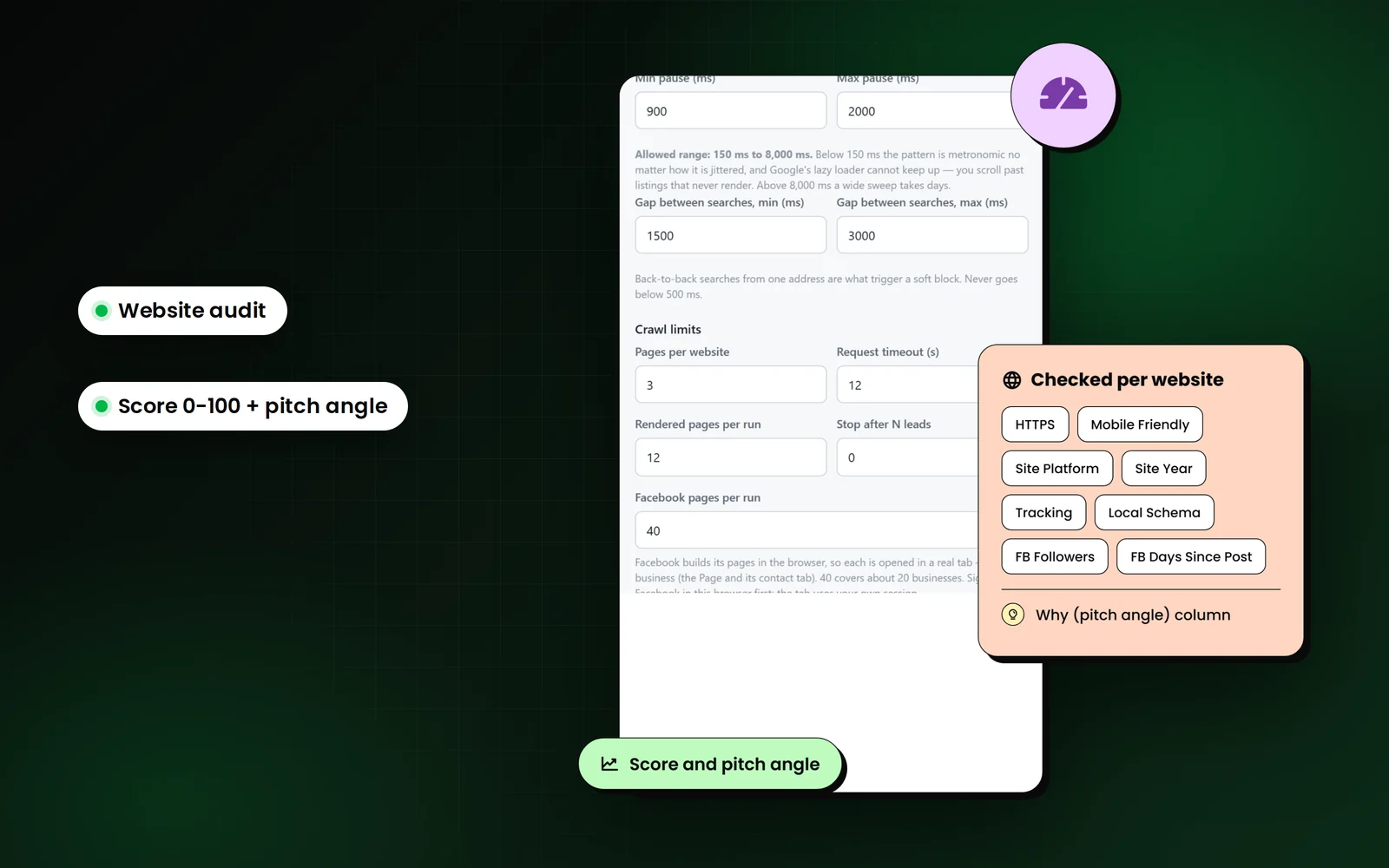
Website health columns
HTTPS, mobile friendly, site platform (WordPress, Wix, Squarespace and others), site year, tracking pixel, local business schema and whether the site is live, parked or down.
Google listing signals
Claimed or unclaimed, photo count, whether a description and opening hours exist, rating and review count.
Score from 0 to 100
A weak or missing web presence scores high, because the gap is the opportunity for anyone selling web, SEO or marketing work.
Pitch angle column
The reasons behind the score, strongest first, written as a line you can use: No website at all, Google listing is unclaimed, No Facebook post in 14 months.
Runs that survive
Long scrapes that do not die halfway through.
Resumable runs
Every task is a durable row in the browser's IndexedDB. Close the panel, quit Chrome or lose power, and the Runs tab offers Resume without duplicating a lead.
Auto CSV every 250 leads
A checkpoint CSV lands in your Downloads folder every 250 leads, so there is always a file on disk.
Export while it runs
Leads stream into the Leads tab as they are found and can be exported before the run finishes.
Deliberate pacing
Randomised delays, a few concurrent fetches and backoff when a source pushes back. Speed is capped on purpose.
The design behind this is on how it works.
Export
A file your CRM, spreadsheet or dialer can take as is.
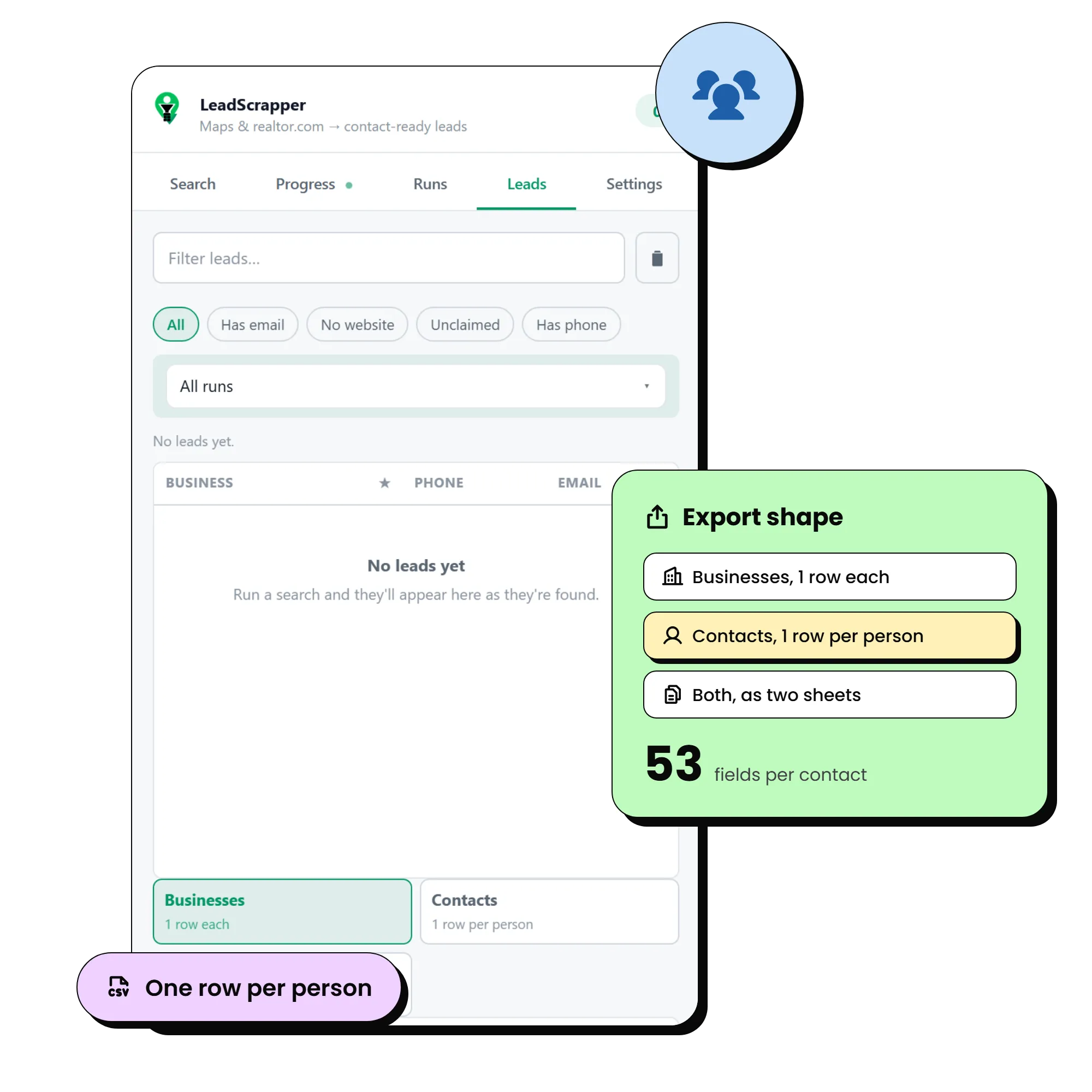
Businesses
One row per business. The prospecting list.
Contacts
One row per person, each carrying its business name, phone, website, address, score and pitch angle. Import into a CRM with no joining.
Both
Two sheets in one workbook.
CSV, Excel or JSON
Excel files keep leading zeros on ZIP codes and type ratings as numbers. Exports include everything currently filtered in, not just the visible rows.
What does each export column mean?
The Businesses sheet has 96 columns and the Contacts sheet has 53 fields per person. Column names below match the export header exactly; empty cells mean the source did not publish that detail.
Identity
- Business Name
- The name on the Google listing
- Category / All Categories
- Primary Google category, then every category listed
- Rating / Reviews
- Star rating and review count from the listing
- Place ID / CID / Google Maps URL
- Google's identifiers and a link back to the listing
Contact
- Phone
- Listing phone number
- Email / All Emails
- Best address found on the website, then every address found
- Email Status
- Result of the optional domain check, e.g. the domain accepts mail, or it is a shared inbox
- Website / Domain
- The site linked from the listing and its bare domain
- Facebook, Instagram, LinkedIn, X / Twitter, YouTube, TikTok
- Social profiles linked from the website
Person to call
- Contact Name / Contact Title
- The most senior person found on the team or staff pages
- Contact Email / Contact Phone / Contact LinkedIn
- That person's own details where published
- People Found
- How many people the staff crawl turned up for this business
- Team Page / Team Page Status
- Where the roster was found and whether it could be read
Location
- Street / City / State / Zip / Country
- Address split into parts for mail merge and territory filters
- Full Address / Plus Code
- The full address string and Google's plus code
- Latitude / Longitude
- Coordinates for mapping or radius filtering
Qualification
- Has Website / Claimed
- Whether the listing links a website and whether the owner has claimed it
- Hours / Open 24h
- All seven days of opening hours
- Description / Services / Photos
- Listing description, services offered and photo count
- Booking Link / Booking Platform / Appointment Page / Contact Page
- How a customer books or gets in touch
Website audit and score
- HTTPS / Mobile Friendly
- Whether the site is secure and built for phones
- Site Platform / Site Year
- The builder or CMS, and the year in the site's copyright line
- Tracking / Local Schema
- Whether an analytics or ad pixel and local business structured data are present
- Site Status
- Live, empty, parked or down
- Score / Why (pitch angle)
- 0 to 100 opportunity score and the reasons behind it, strongest first
Facebook (when enabled)
- Facebook Page / FB Category / FB Followers
- The Page, its category and follower count
- FB Last Post / FB Days Since Post
- How recently the Page posted
- FB Email / FB Phone / FB Website / FB Address
- Contact details from the Page's contact tab
- FB Status
- Whether the Page could be read (signed out of Facebook shows as unreadable)
realtor.com agents
- Brokerage / Brokerage Site / Office Phone
- Where the agent hangs their licence
- Agent License / MLS IDs / Experience
- Licence number, MLS memberships and years in the business
- Sales (12 mo) / Active Listings / Price Range / Last Sale
- Production figures shown on the agent profile
- Areas Served / Specializations / Languages
- Where and how the agent works
The Contacts sheet: one row per person
Choose Contacts at export and every person found becomes their own row, carrying their business with them, so a CRM import needs no lookups.
- Full Name / First Name / Last Name: Split for personalised mail merge
- Job Title / Seniority / Decision Maker: Title, rank from the seniority ranking, and Yes for the top ranks
- Email / Email Status / Phone / Mobile: The person's own details where published
- LinkedIn and other socials: Profiles linked from their page
- License / Licensed In: Licence number and states, common on lender and agent pages
- Their Page / Their Office / Bio: Their profile URL, office address and a short bio snippet
- Business fields: Company name, phone, website, address, score and pitch angle on every row
Keep reading
LeadScrapper Chrome Extension
All of it, in every extension plan.
One payment, no subscription. Install it in two minutes and run the search you would actually run.
Facebook enrichment comes with Unlimited and Reseller.
- Chrome Extension
- One-time payment
- 96 columns per lead
- Your data stays in your browser