

Send leads to your CRM, automatically.
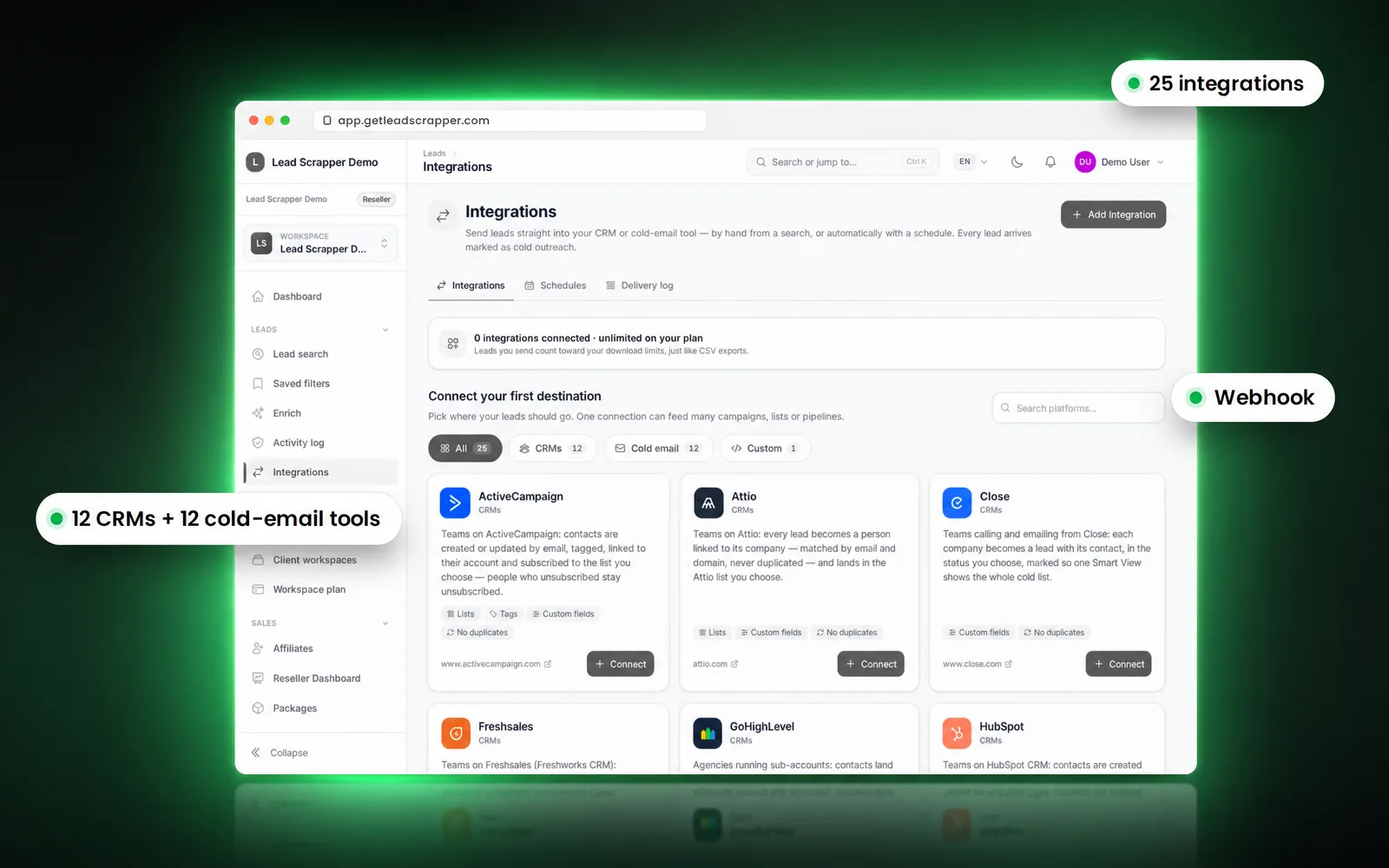
25 destinations: 12 CRMs, 12 cold-email tools and a webhook. Send a search once or schedule fresh leads every day, with invalid emails left out and every send in a delivery log.

Which CRMs and cold-email tools are supported?
All 25 destinations are listed below by name. Every one works the same way: connect once, then pick it as the destination for a send or a schedule.
CRMs (12)
Leads become contacts or leads in your CRM, matched so you do not get duplicates.
- ActiveCampaign
- Attio
- Close
- Freshsales
- GoHighLevel
- HubSpot
- Keap
- Microsoft Dynamics 365 Sales
- monday CRM
- Pipedrive
- Salesforce
- Zoho CRM
Cold-email tools (12)
Leads land in the campaign or list you choose, ready to send.
- Apollo.io
- Instantly
- lemlist
- Mailshake
- PlusVibe
- QuickMail
- Reply.io
- Saleshandy
- Smartlead
- Snov.io
- Swift Flow Bot
- Woodpecker
Webhook (1)
Post leads as JSON to any URL: your own system, Zapier-style tools, anything that accepts a webhook.
- Webhook
Names are trademarks of their owners and are shown as text only. LeadScrapper is not affiliated with these companies.
How it works
How do I send leads from LeadScrapper to my tools?
Connect a destination, choose the leads, and send now or on a schedule. Invalid emails are removed on the way.
- 01
Connect a destination
Pick a CRM, a cold-email tool or a webhook and connect it once. One connection can feed many campaigns, lists or pipelines.
- 02
Choose the leads
Run a search or open a saved filter. Require an email or phone so every lead is usable.
- 03
Checks remove invalid emails
Leads with an invalid email are never sent, so they never reach your sending tool.
- 04
Send now or on a schedule
Send once, or let a schedule deliver fresh matching leads on a timetable. The delivery log records every send.
Destinations
- ActiveCampaign
- Attio
- Close
- Freshsales
- GoHighLevel
- HubSpot
- Keap
- Microsoft Dynamics 365 Sales
- monday CRM
- Pipedrive
- Salesforce
- Zoho CRM
- Apollo.io
- Instantly
- lemlist
- Mailshake
- PlusVibe
- QuickMail
- Reply.io
- Saleshandy
- Smartlead
- Snov.io
- Swift Flow Bot
- Woodpecker
- Webhook
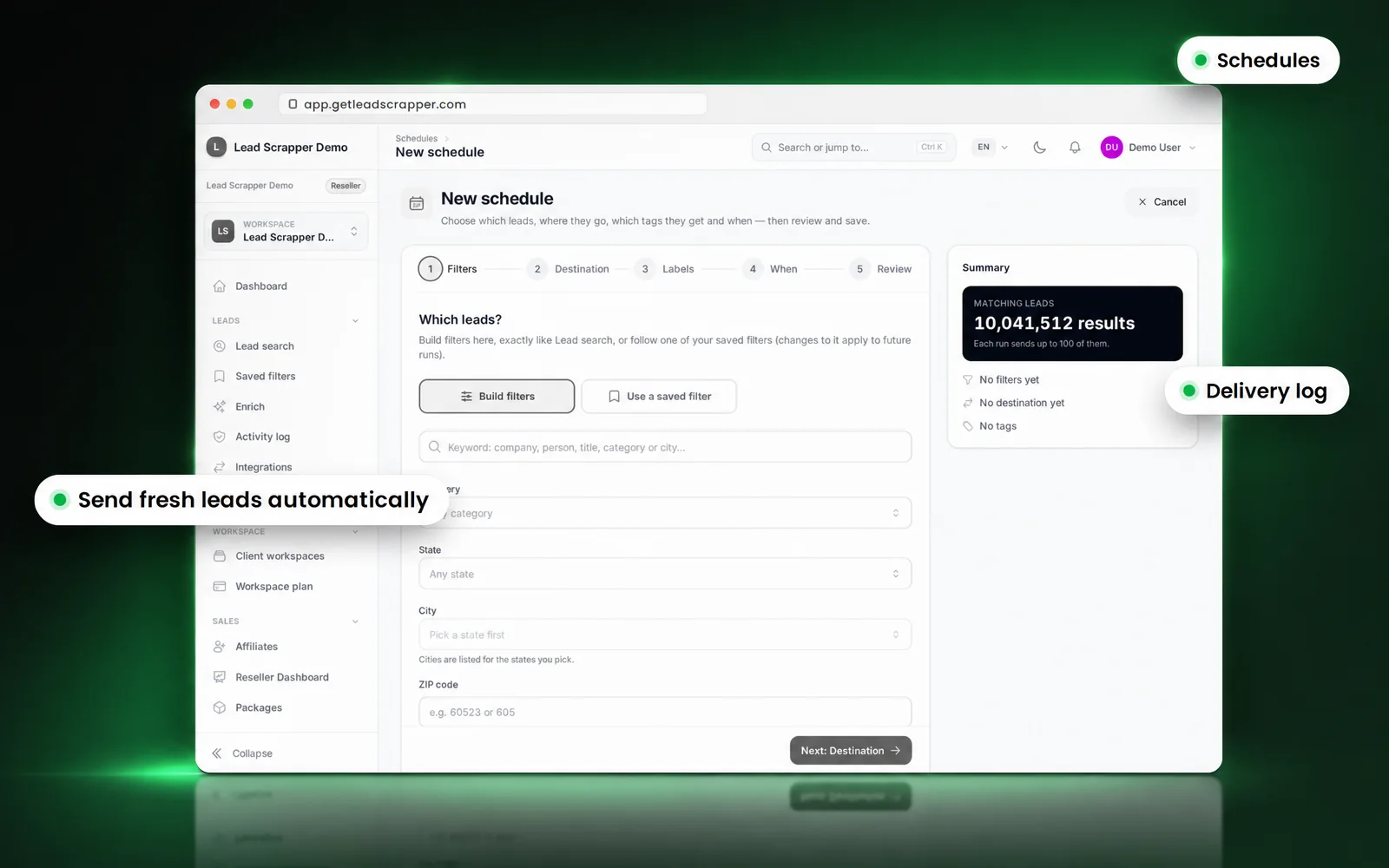
Schedules and delivery log
Can leads be sent automatically every day?
Yes. A schedule sends fresh leads that match your saved filters to the destination you choose, on the timetable you set. Each destination only receives leads it has not had before, and the delivery log shows what was sent where and when.
API and MCP
Can I connect my own code or an AI assistant?
Yes. Unlimited and Reseller include the REST API, an MCP server and webhooks. Lifetime Tiers 3 to 5 include the REST API and webhooks.
How many integrations and schedules does each plan include?
| Plan | Integrations | Schedules |
|---|---|---|
| Free | 1 | None |
| Starter | 3 | 3 |
| Unlimited | 10 | 20 |
| Reseller | Unlimited | Unlimited |
| Lifetime Tier 1 | 2 | 1 |
| Lifetime Tier 2 | 3 | 2 |
| Lifetime Tier 3 | 5 | 3 |
| Lifetime Tier 4 | 8 | 5 |
| Lifetime Tier 5 | Unlimited | 10 |
Integrations FAQ
Integration questions.
How do I send leads to HubSpot?
Connect HubSpot once under Integrations, then choose HubSpot as the destination when you send a search or set up a schedule. Leads arrive as contacts, and each destination only receives leads it has not had before.
Which CRMs are supported?
ActiveCampaign, Attio, Close, Freshsales, GoHighLevel, HubSpot, Keap, Microsoft Dynamics 365 Sales, monday CRM, Pipedrive, Salesforce, Zoho CRM.
Which cold-email tools are supported?
Apollo.io, Instantly, lemlist, Mailshake, PlusVibe, QuickMail, Reply.io, Saleshandy, Smartlead, Snov.io, Swift Flow Bot, Woodpecker.
What if my tool is not on the list?
Use the webhook: it posts each lead as JSON to any URL you choose, which most automation tools and internal systems can receive.
Will the same lead be sent twice?
No. Each destination only receives leads it has not had before, so schedules can run every day without duplicates.
What is a schedule?
A schedule sends fresh leads that match your saved filters to a destination on a timetable you set, so the list keeps filling without you exporting anything.
Do sends count toward my download limit?
Yes. A lead sent to an integration counts the same way as a CSV download.
Are invalid emails sent to my cold-email tool?
No. Emails that fail the checks are never sent to any integration, which protects your sending reputation.
How many integrations does my plan include?
Free 1, Starter 3, Unlimited 10, Reseller unlimited; lifetime tiers from 2 to unlimited. The table on this page lists schedules too.
Is there an API or MCP server?
Yes. Unlimited and Reseller include the REST API, MCP and webhooks; lifetime Tiers 3 to 5 include the REST API and webhooks.
LeadScrapper platform
Connect your first destination today.
Open the database free, connect a CRM or cold-email tool, and send your first leads in minutes.
- 10M+ US business leads
- Free plan, monthly or lifetime
- 25 CRM and cold-email integrations
- AI enrichment