

Google Maps scraper
The Google Maps scraper that finds the people, too.
LeadScrapper is a Chrome extension that scrapes Google Maps search results into a CSV or Excel file, then visits every business website for emails, social profiles and named staff. Any niche, any city or ZIP code. One payment, no subscription.
Definition
A Google Maps scraper reads business listings from Maps search results and saves them as structured data: name, phone, address, rating, reviews, website and hours. A lead scraper goes one step further and adds the contact details a salesperson needs, such as emails and the people to ask for.
What do you get for each business?
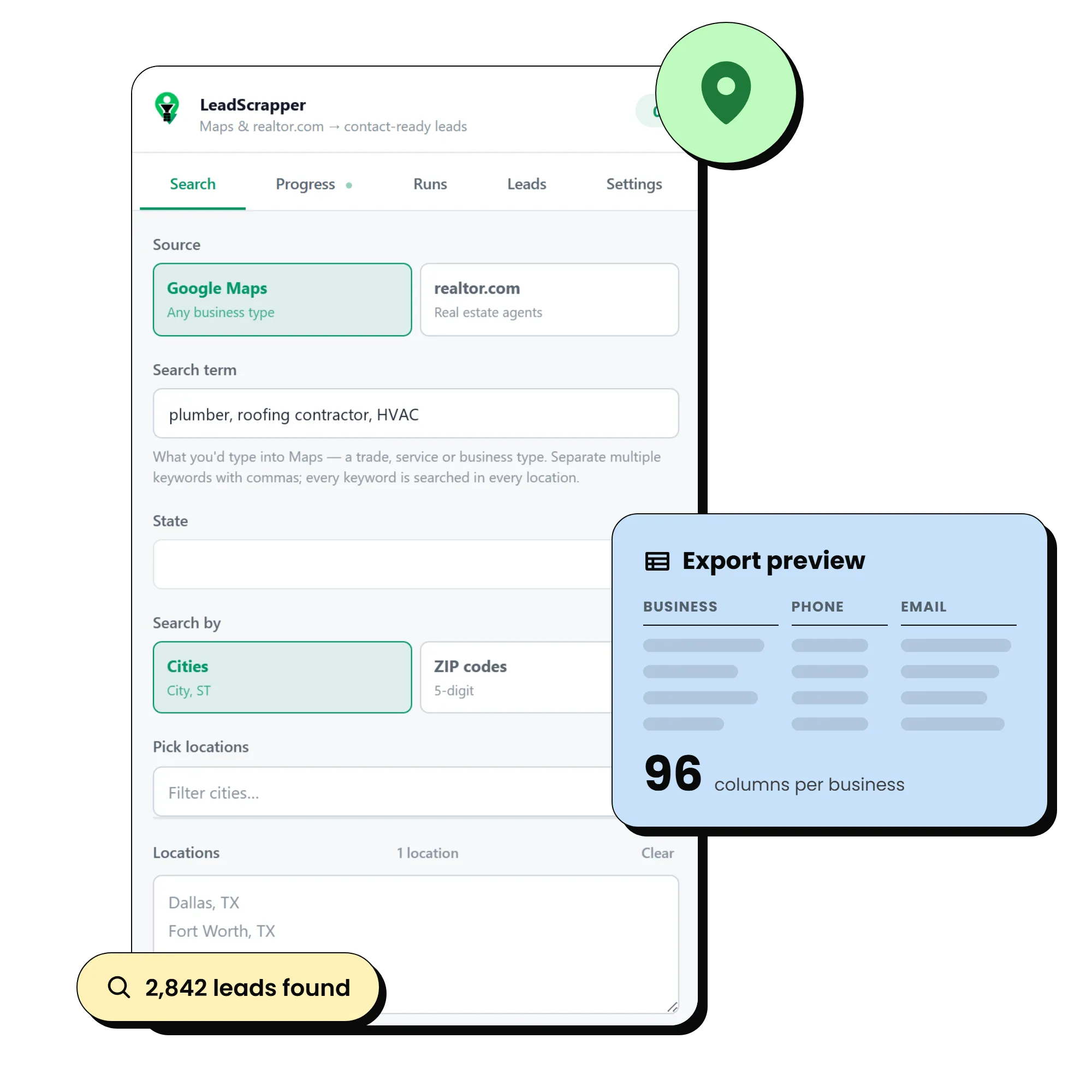
Up to 96 columns: the listing data, emails and six social profiles from the website, the most senior person found on the team page, a website audit and a 0 to 100 lead score with the reasons spelled out.
See every columnHow do you scrape Google Maps to CSV?
Install the extension, type a business type, pick your cities or ZIP codes, press Start grabbing and export. A typical setup takes under a minute; the run itself goes at a deliberate pace.
- 1
Type the business type
dentist, plumber, roofing contractor. Separate several keywords with commas.
- 2
Pick the locations
Choose a state, then add cities or ZIP codes. Each one is searched and merged.
- 3
Choose depth and enrichment
Deep for full listing detail; Find emails and socials to visit each website.
- 4
Start grabbing
Leads stream into the Leads tab as they are found. Close the panel if you like.
- 5
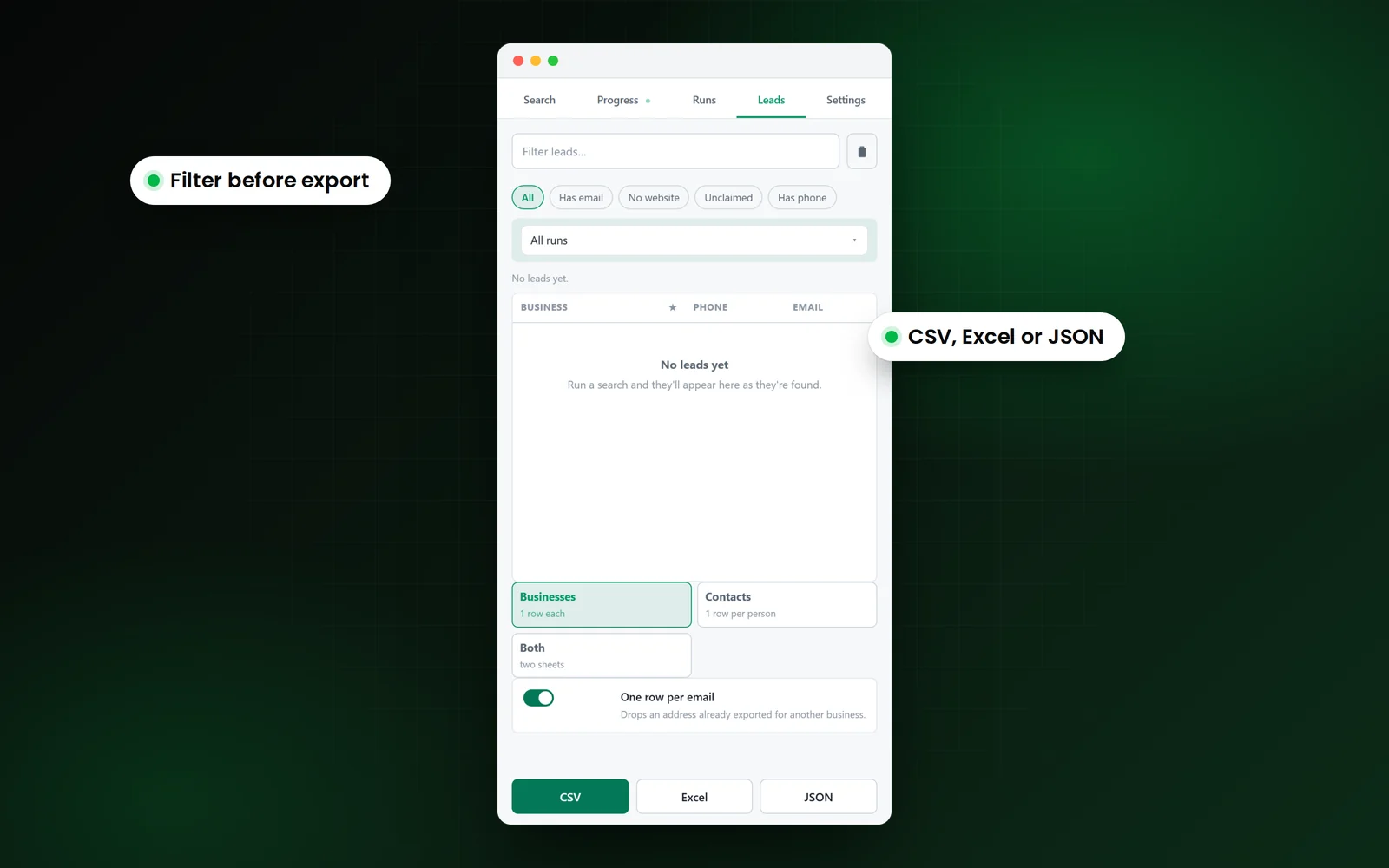
Export
Businesses, Contacts or Both, as CSV, Excel or JSON.
New to loading extensions? The install guide takes two minutes.
Scraper, bought list, or by hand?
Copying from Maps by hand is accurate but slow; bought lists are fast but often stale. A scraper you run yourself gives you today's data for the exact niche and area you want.
| What you need | Copying by hand | Buying a list | LeadScrapper |
|---|---|---|---|
| Phone, address, rating, hours | Yes, one at a time | Usually | Yes, every listing |
| Email from the business website | Only if you open each site | Sometimes | Yes, where published |
| Named owner or manager | Only with extra research | Sometimes | Yes, from team pages |
| No-website and website-audit filters | No | Rarely | Yes |
| How fresh the data is | Today | Whenever it was compiled | Today, at the moment you run it |
| Cost model | Your time | Per list or per record | One payment from $47 |
What are the limits?
The honest ones, before you buy.
Google caps one search at roughly 120 results
That is Google's limit, not ours. Add more cities or ZIP codes to go wider. The panel tells you when it hits the wall.
It runs at a deliberate pace
Randomised delays, four concurrent place fetches, three concurrent website fetches and backoff when a source pushes back. Faster gets your own connection throttled.
Not every business publishes an email
Enrichment checks the homepage and up to two contact-style pages, then marks the row rather than guessing an address.
The terms of each source are your call
Scraping Google Maps is against Google's Terms of Service. The data is public business information, but how you collect and use it is your decision. Follow CAN-SPAM, GDPR and the rules where your prospects are.
Google Maps scraping questions
What is a Google Maps scraper?
A Google Maps scraper is a tool that reads business listings from Google Maps search results and saves them as structured data, such as a spreadsheet of names, phones, addresses, ratings and websites. LeadScrapper is a Google Maps scraper that runs as a Chrome extension and also enriches each listing from the business's own website.
How do I scrape Google Maps to Excel?
Install LeadScrapper, type a business type, choose your cities or ZIP codes and press Start grabbing. When the run finishes, open the Leads tab and export as Excel (XLSX) or CSV. The export guide covers the options.
Can it get emails from Google Maps listings?
Google Maps listings do not show email addresses, so LeadScrapper visits each business's website, checks the homepage and up to two contact-style pages, and records the addresses it finds. Businesses that publish no email are marked rather than guessed.
Why does Google Maps stop at about 120 results?
Google caps a single search's results feed near 120 listings. To cover a whole city or state, add more cities or ZIP codes; each is a separate search and the results are merged and deduped.
Do I need a Google API key?
No. LeadScrapper reads the same pages you see in Chrome. There is no API key, account or per-lead charge.
Is scraping Google Maps allowed?
Google's Terms of Service prohibit it, and whether to use any Maps scraper is your call. The data is public business information. Follow the email and calling laws where your prospects are. The FAQ has more.
Keep reading
LeadScrapper Chrome Extension
Scrape your first Maps search today.
Install it in two minutes, type the search you would type into Maps, and open the CSV.
One payment, no subscription. Not affiliated with Google.
- Chrome Extension
- One-time payment
- 96 columns per lead
- Your data stays in your browser