

Skip to content

How it works

From a Maps search to a CSV you can work.

LeadScrapper runs four stages inside your browser: it searches Google Maps or realtor.com, enriches each business from its website, finds the people behind it, then scores the lead and exports it. Runs are saved as they go, so a closed window or a crash never costs you the list.

  1. 1Search the source
  2. 2Enrich from the website
  3. 3Find the people
  4. 4Score and export
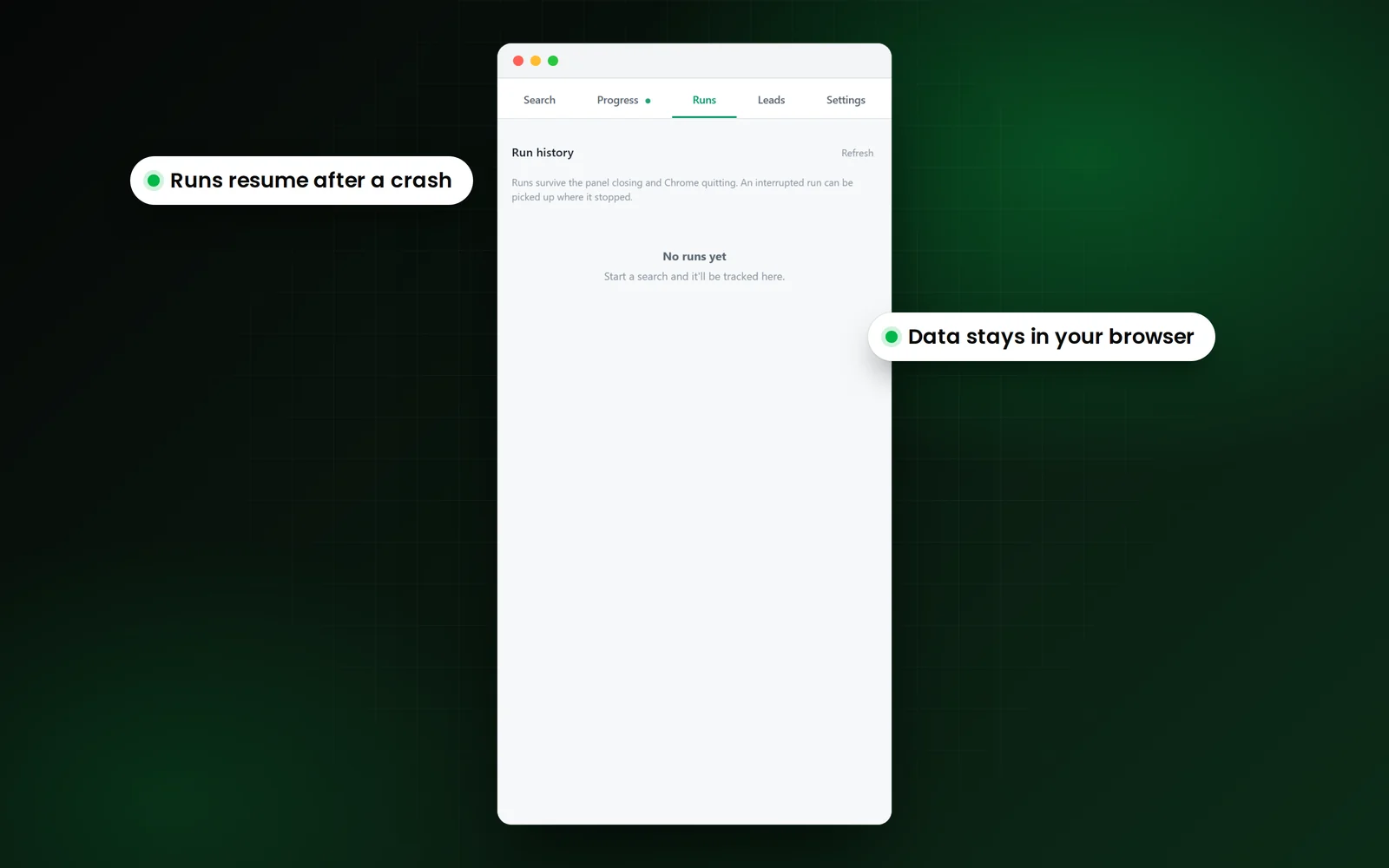
The LeadScrapper Chrome Extension Runs tab with the run history, with callouts that runs resume after a crash and the data stays in your browser.
Stage 1

Search the source

You pick Google Maps or realtor.com, type the business you want and choose your locations. Each location is searched in turn and the results are merged and deduped.

  • Several keywords at once: every keyword runs in every location
  • Fast reads the results list; Deep opens each listing's full record
  • Sponsored listings at the top of the feed are left out
  • Filters for minimum rating, minimum reviews, phone required, or no website
Stage 2

Enrich from the website

With Find emails and socials on, the extension visits each business website, checks the homepage and up to two contact-style pages, and records emails and social profiles.

  • Facebook, Instagram, LinkedIn, X, YouTube and TikTok in their own columns
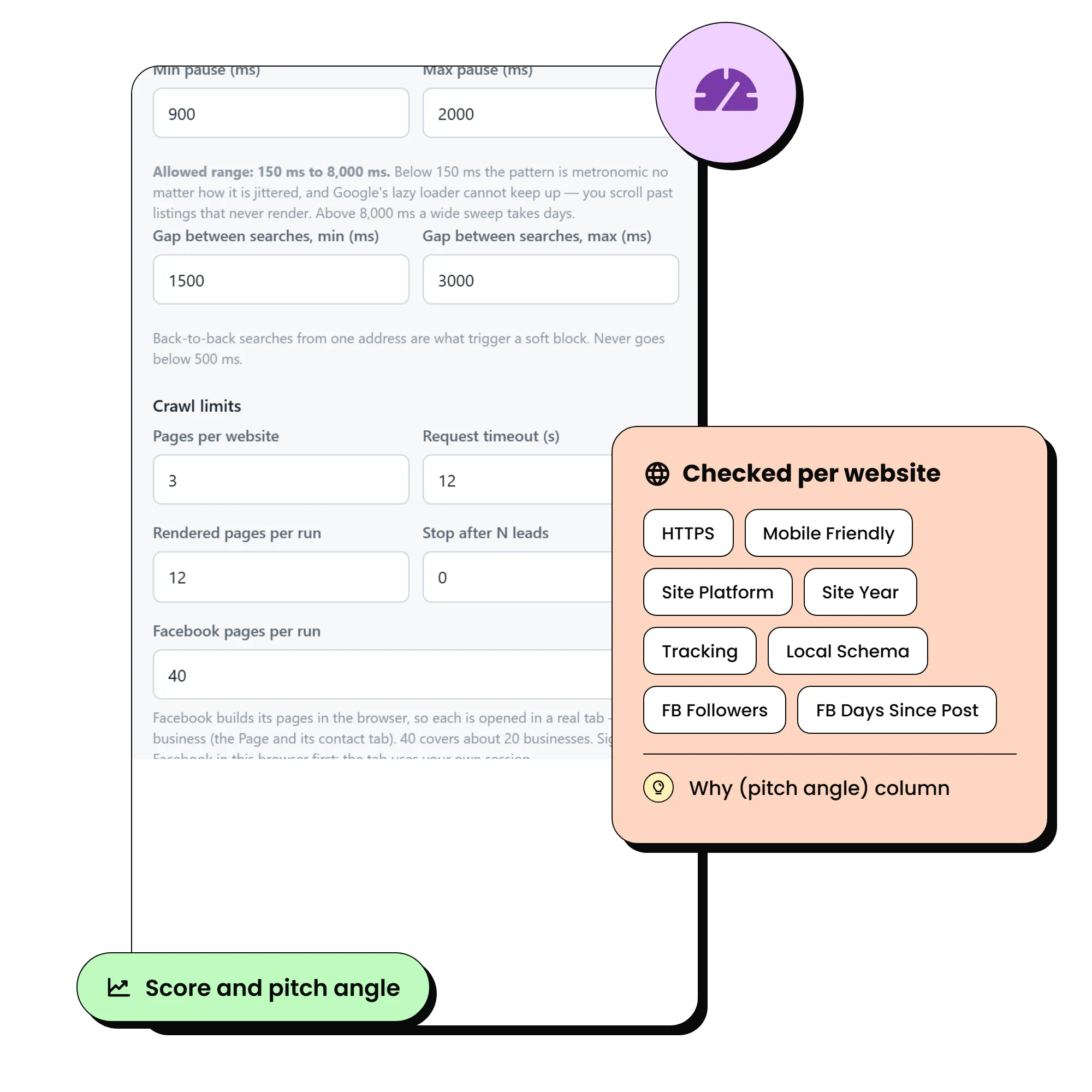
  • The same download feeds the website audit: HTTPS, mobile, platform, site year, tracking
  • Optional check that the email's domain can receive mail
  • Optional Facebook Page enrichment when you are signed in to Facebook
Stage 3

Find the people

With Team and staff pages on, the run finds roster pages, ranks everyone by title, then opens the most senior people's own pages for their email, direct line, licence and socials.

  • Looks for team, staff, employees, attorneys, agents, doctors and loan officer pages
  • Ranking happens before any profile is fetched, so the budget goes to decision makers
  • The most senior reachable person is promoted onto the business row
  • Roster only (names and titles) or full profiles, with a cap per business
Stage 4

Score and export

Every lead gets a 0 to 100 score and a pitch angle, and you export Businesses, Contacts or Both to CSV, Excel or JSON.

  • A weak or missing web presence scores high, because that gap is the opportunity
  • The reasons are written out, strongest first, ready for an opening line
  • Contacts gives one row per person with their business on the row
  • Exports include everything filtered in, not just the visible rows

What happens if Chrome closes in the middle of a run?

Nothing is lost. Every unit of work is saved as a row in the browser's IndexedDB database, so on the next launch the Runs tab marks the run as interrupted and offers Resume, which finishes it without duplicating a lead.

Why does it survive when other scrapers do not?

The run is hosted in an offscreen document, not in the side panel (which you can close) and not in the service worker (which Chrome stops when idle). A task is only marked done after the lead it produced has been saved.

Is there a backup file?

Yes. A checkpoint CSV is written to your Downloads folder every 250 leads, whatever else happens. You can also export from the Runs tab while a run is still going.

  • Close the side panelThe run keeps going
  • Quit Chrome or lose powerResume from the Runs tab
  • Look before it finishesExport what is there so far
  • Every 250 leadsA CSV lands in Downloads
The crawl limit settings and the website checks run on every lead

How many results can one Google Maps search return?

About 120. Google stops a single search's results feed near that number, whatever tool you use. To go wider, add more cities or ZIP codes: each location is its own search, and the results are merged and deduped.

The honest limits

  • Google caps one search at roughly 120 results

    That is Google's limit, not ours. Add more cities or ZIP codes to go wider. The panel tells you when it hits the wall.

  • It runs at a deliberate pace

    Randomised delays, four concurrent place fetches, three concurrent website fetches and backoff when a source pushes back. Faster gets your own connection throttled.

  • Not every business publishes an email

    Enrichment checks the homepage and up to two contact-style pages, then marks the row rather than guessing an address.

  • The terms of each source are your call

    Scraping Google Maps is against Google's Terms of Service. The data is public business information, but how you collect and use it is your decision. Follow CAN-SPAM, GDPR and the rules where your prospects are.

Where does the extension store my leads?

In your own browser. The extension keeps leads in Chrome's local database and writes exports to your computer. They are never sent to our servers. Details are in the privacy policy.

Do I need an account to use the extension?

No. The extension needs no account, login or API key. You install it, type a search and press Start grabbing. The leads database is the part you sign in to.

Keep reading

LeadScrapper Chrome Extension

Run your first list today.

Install it in two minutes, type the search you would type into Maps, and open the CSV.

One payment, no subscription.

  • Chrome Extension
  • One-time payment
  • 96 columns per lead
  • Your data stays in your browser