

Lead database features, without the fluff.
LeadScrapper is a US business leads database in a web app: 10,041,512 B2B leads to search, filter, check, send to your CRM and enrich with AI. Here is everything it does, and what it does not.
Filters
- Category
- State
- City
- ZIP code
- Industry
- Job title
- Has email
- Has phone
LEADS IN THE DATABASE
10,041,512
Invalid emails never exported or sent.
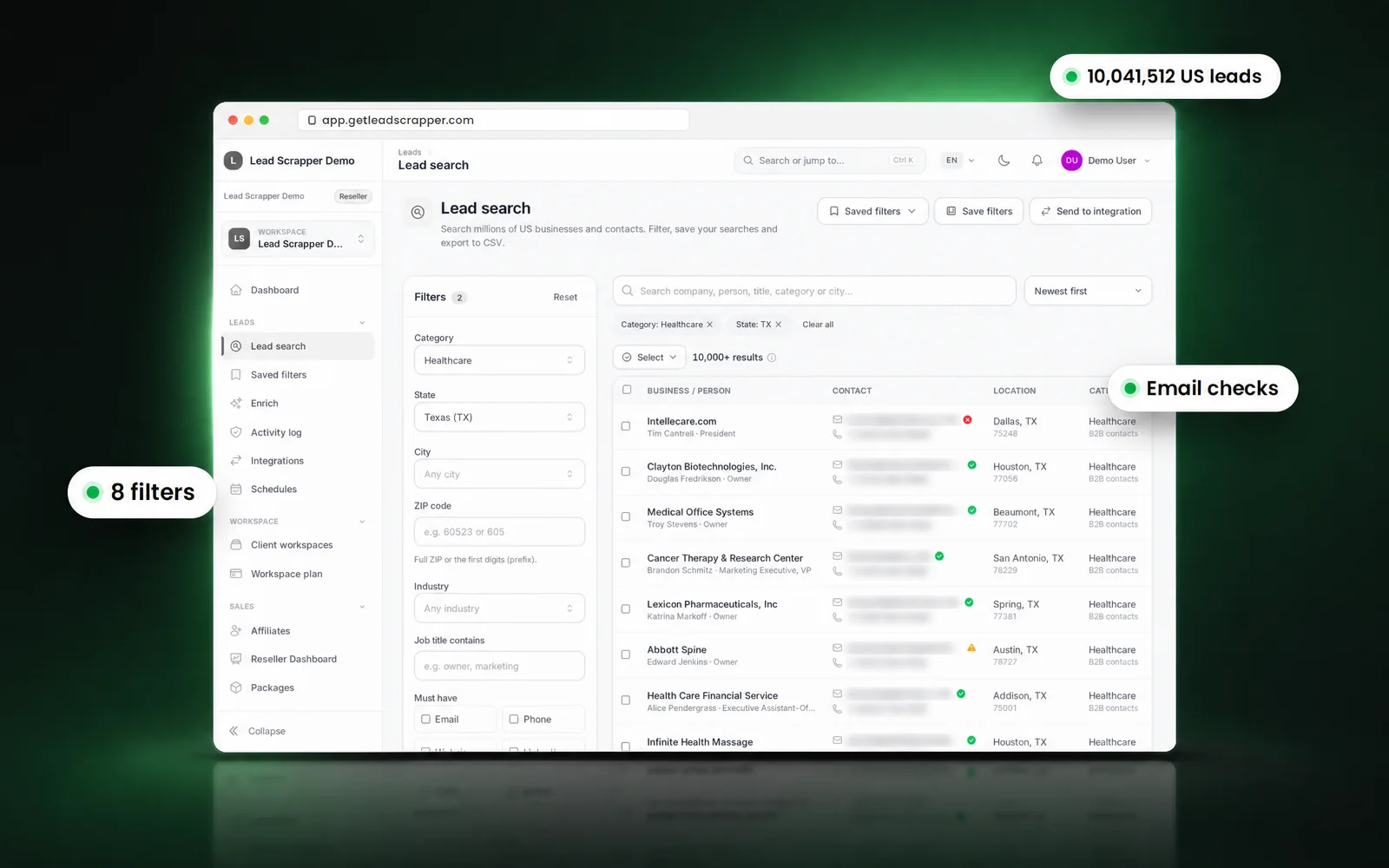

Search and download
Can I filter leads by job title, city and industry?
Yes. Search 10,041,512 US business leads with 8 filters: category, state, city, ZIP code, industry and job title, plus "has email" and "has phone". Results arrive in seconds and you download only what you need.
10,041,512 US business leads
Businesses and the people who run them, from 6 data sources, in one database.
Download limits per plan
From 100 a month on Free to 10,000 a day on Unlimited, or no cap on Reseller.
Saved filters
Save the searches you use most and share them with your workspace.
Copy details
Copy a lead's details from the lead drawer in one click, within your role's permissions.
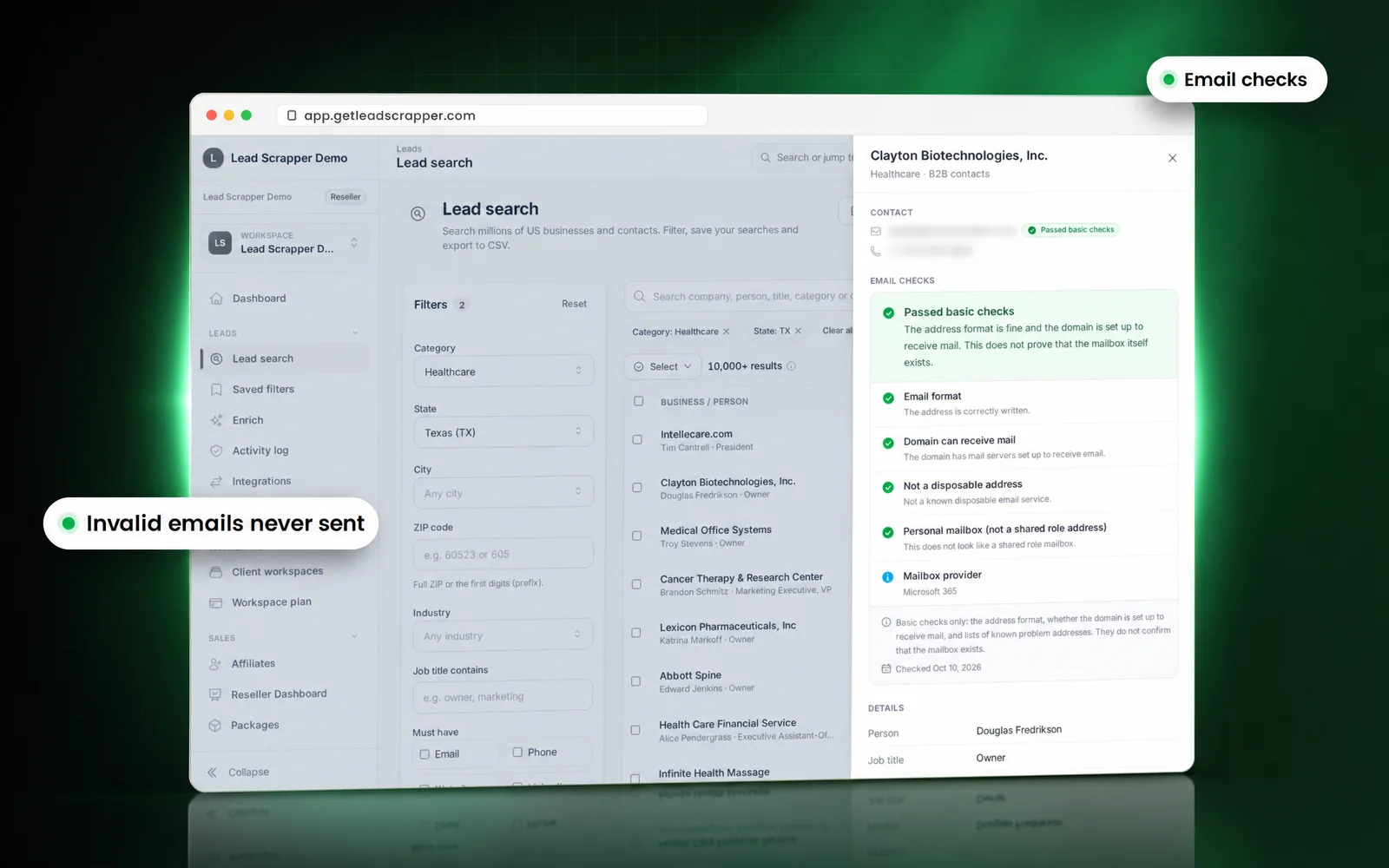

Email checks
Are the emails verified?
Every email is checked for format, a domain that can receive mail and known disposable or problem addresses. Emails that fail are never exported or sent to an integration. The checks cannot prove a single mailbox exists, and the app says so on every lead.
Checks on every email
Format, a domain that can receive mail, not disposable, personal or shared role mailbox, mailbox provider.
Invalid emails never leave
They are dropped from CSV downloads and from every send to a CRM or cold-email tool.
Honest labels
Each lead shows which checks passed, and that basic checks do not confirm the inbox itself.
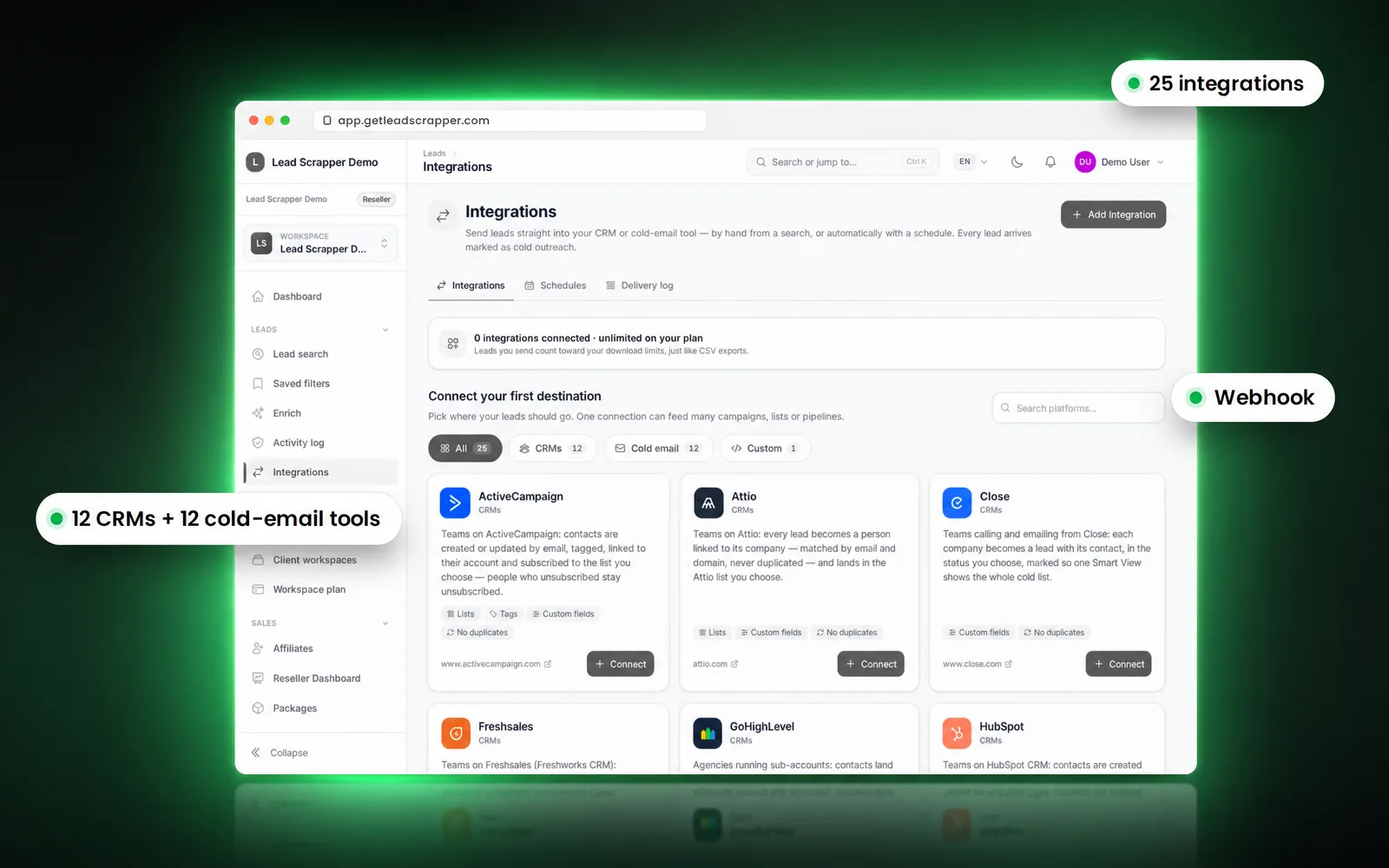

Send and automate
Can I send leads to my CRM automatically?
Yes. Connect any of 25 destinations (12 CRMs, 12 cold-email tools and a webhook), pick one per send, and let a schedule deliver fresh leads that match your filters. A delivery log records every send.
25 integrations
HubSpot, GoHighLevel, Salesforce, Pipedrive, Instantly, Smartlead, Swift Flow Bot, PlusVibe and more.
Schedules
Fresh leads to a destination on a timetable. Each destination only receives leads it has not had before.
Delivery log
See what reached which tool and when.
REST API and MCP
Work with the leads from your own code or an AI assistant (Unlimited and Reseller; REST API on lifetime Tiers 3 to 5).
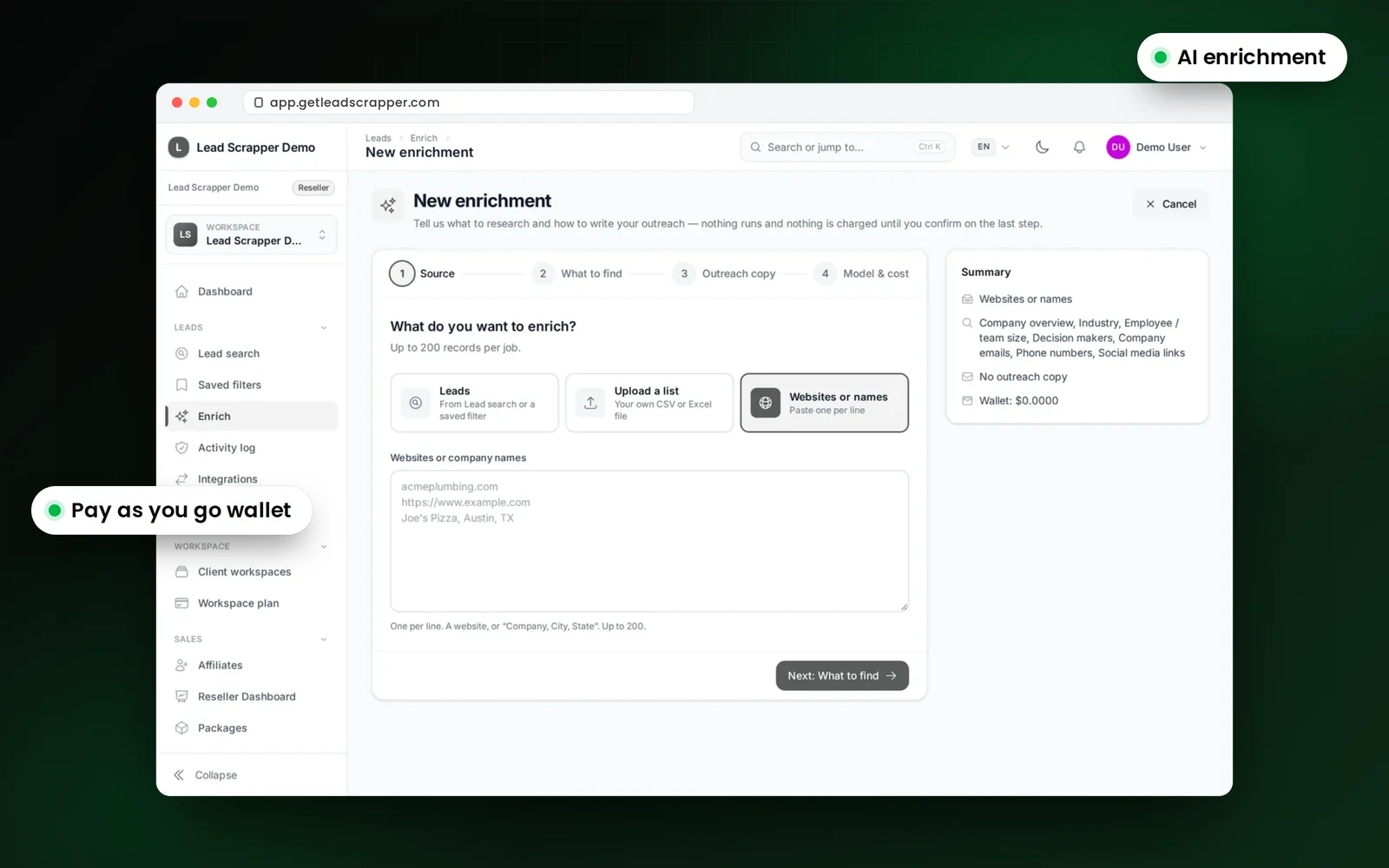
AI enrichment
How does AI lead enrichment work?
Choose leads from a search, upload a list, or paste websites or company names (up to 200 records per job), and AI researches them. It uses models from OpenAI, GLM, Kimi and DeepSeek and is paid as you go from a prepaid wallet.
Three ways in
Database leads, an uploaded list, or pasted websites and company names.
Prepaid wallet
Top up by hand or turn on auto-reload. The wallet shows spend and credit in use.
Lifetime credit
Lifetime tiers include a one-time AI credit.
Teams and control
Can my team share one account safely?
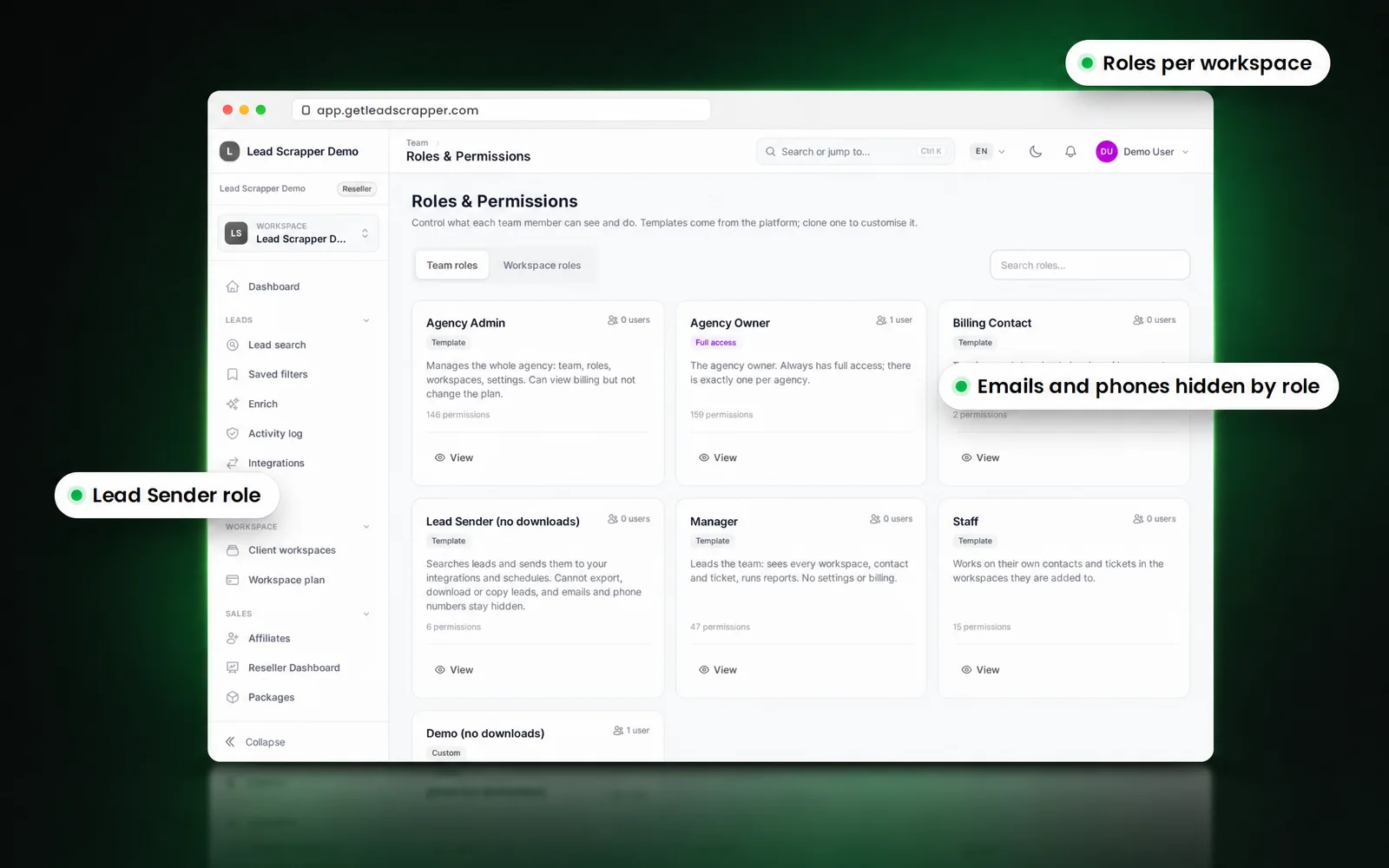
Yes. On plans with seats (Reseller and lifetime Tiers 2 to 5) each person gets a role per workspace. Roles can hide emails and phones, the Lead Sender role sends leads without downloading them, and the activity log shows who exported or sent what.
Roles per workspace
Different permissions in each workspace, one login across several accounts with an account chooser.
Lead Sender role
Send leads to connected tools without download rights.
Lead activity log
Every export, download and send, with the person who did it.
12 languages
Including Arabic and Urdu, right to left.
What does the database not do?
Limits stated plainly, so you can judge the fit before you pay.
- US businesses only.
- Not every business publishes an email or a phone; filters show only those that do.
- Email checks confirm format and domain, not that a single inbox exists.
- AI output can be wrong; review enriched fields before relying on them.
What filters does the lead database have?
Category, state, city, ZIP code, industry and job title, plus Has email and Has phone. Filters combine, and searches can be saved and shared.
How many leads are in the database?
10,041,512 US business leads at the last count, from 6 data sources.
Are emails checked before I download them?
Yes. Every email is checked for format, a domain that can receive mail and known problem addresses, and invalid emails are never exported or sent.
Which integrations are supported?
12 CRMs, 12 cold-email tools and a webhook: 25 in total. See the integrations page.
Can I schedule lead deliveries?
Yes. A schedule sends fresh leads that match your filters to the destination you choose, and each destination only receives leads it has not had before.
Is there an API?
Yes. Unlimited and Reseller include the REST API, MCP and webhooks; lifetime Tiers 3 to 5 include the REST API and webhooks.
What is AI enrichment?
AI research on leads you choose, an uploaded list or pasted websites, up to 200 records per job, paid as you go from a prepaid wallet.
Can I hide contact details from some team members?
Yes. Roles can hide emails and phone numbers, and the Lead Sender role cannot download.
How long do my exports stay available?
Every export stays downloadable from the Exports page for 14 days.
Does the app work in other languages?
Yes, in 12 interface languages, including Arabic and Urdu right to left.

LeadScrapper platform
All of it, from the free plan up.
Open the database free, then pick a monthly plan or lifetime access when you need more downloads.
- 10M+ US business leads
- Free plan, monthly or lifetime
- 25 CRM and cold-email integrations
- AI enrichment