

Chrome Extension use case: Real estate and mortgage
Build referral lists of agents, lenders and the people around them.
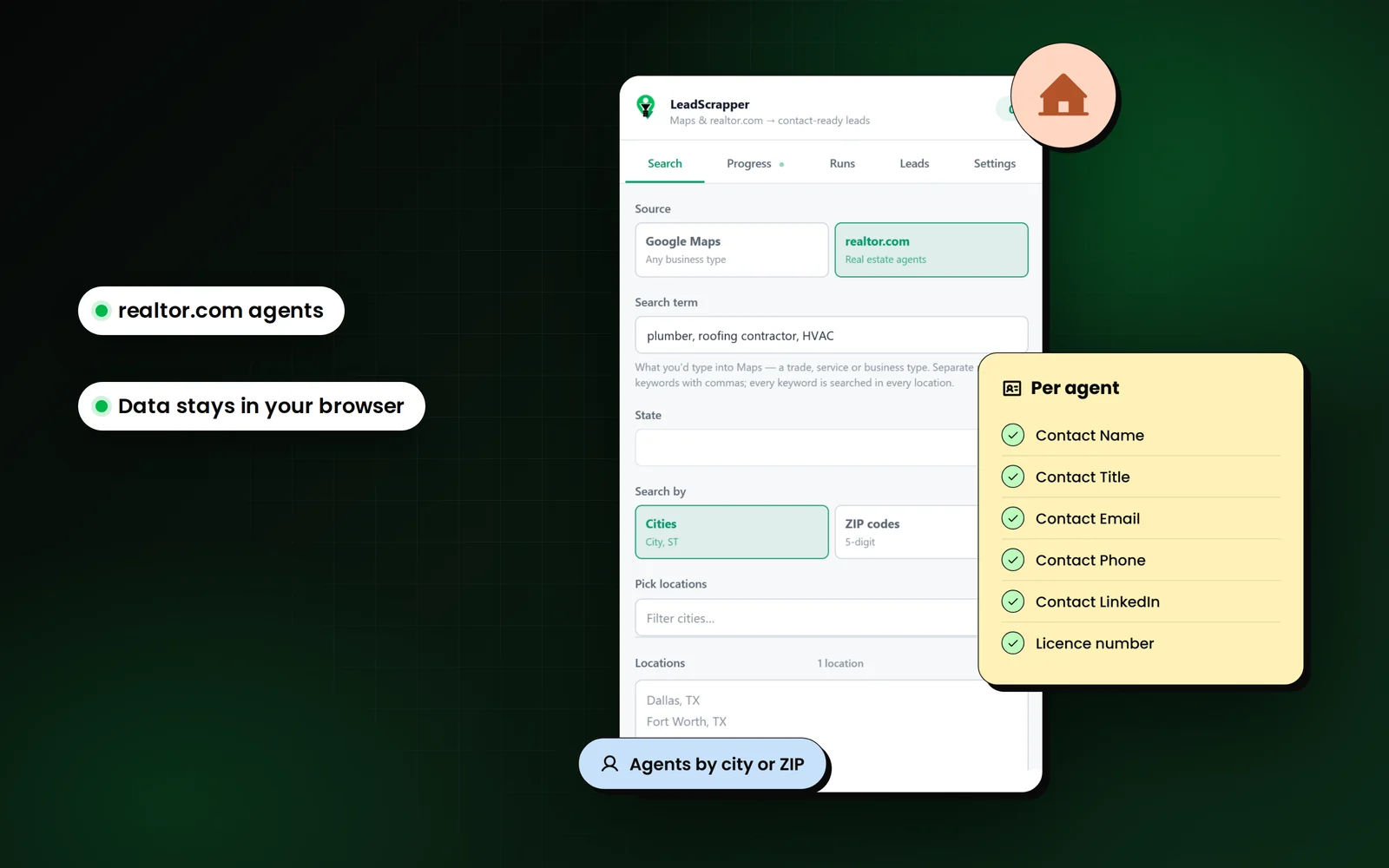
Real estate runs on referrals. LeadScrapper pulls agents from realtor.com with their brokerage, licence and production figures, and pulls lenders, title companies and inspectors from Google Maps with the loan officers on their staff pages.
How do real estate and mortgage use LeadScrapper?
Mortgage and real estate professionals use LeadScrapper in two ways: the realtor.com source to list agents by city or ZIP with brokerage, licence, sales in the last 12 months and active listings, and the Google Maps source with staff pages on to list every loan officer at each lender with their own contact details.
Searches that work well
- real estate agent (realtor.com source)
- mortgage broker
- loan officer
- title company
- home inspector
- property management
Which columns matter most?
Every export has the full 96 business columns. These are the ones to sort and filter on for this job. The features page explains the rest.
| Column | Why it matters |
|---|---|
| Brokerage / Office Phone | Group agents by office and call the broker as well as the agent. |
| Sales (12 mo) / Active Listings | Prioritise producing agents over inactive licences. |
| Agent License / License / Licensed In | Licence numbers and states from agent and lender pages. |
| Areas Served / Specializations / Languages | Match agents to your niche, such as first-time buyers or a language you serve. |
| Seniority / Decision Maker | On a lender roster, branch managers and VPs are ranked first. |
| Their Page | Each person's own profile URL, for research before you reach out. |
The workflow, step by step
- 1
Agents from realtor.com
Switch the source, pick a state and the cities or ZIPs you cover. Each agent is followed to their own site for email and socials.
- 2
Lenders and vendors from Maps
Search mortgage broker, title company or home inspector with staff pages on. Large rosters are ranked by title before profiles are opened.
- 3
Export as Contacts
One row per person, with the brokerage or lender on the same row. It imports into a CRM without joining sheets.
- 4
Sort by production
Use Sales (12 mo) and Active Listings to decide who to meet first.
Use the list responsibly
realtor.com has its own terms of use, and collecting from it is your decision. Agents and loan officers often publish mobile numbers: in the US, calls and texts to mobiles fall under the TCPA and the Do Not Call registry, and email falls under CAN-SPAM. This is not legal advice.
The FAQ covers the legal questions people ask most.
Questions from real estate and mortgage
Can LeadScrapper scrape realtor.com agent profiles?
Yes. Choose realtor.com as the source and pick the cities or ZIP codes. It works through the agent directory, about 20 agents per page, and records brokerage, office phone, licence, MLS IDs, experience, sales in the last 12 months, active listings, price range, areas served and more.
How do I get loan officer contact details from a lender's website?
Search the lender type on Google Maps with Team and staff pages set to Full profiles. The extension finds loan officer and staff pages, ranks people by title, and opens each person's page for their email, direct line and licence.
Can I export one row per agent?
Yes. Choose Contacts at export and every person becomes their own row with their business details on the same row.
Other extension workflows
- Web design agenciesHow web designers and agencies use LeadScrapper to list local businesses with no website, a down site or a dated one, with a pitch angle on every row.Read more
- Local SEO agenciesHow local SEO and marketing agencies use LeadScrapper to find businesses with unclaimed listings, few reviews, missing schema or no tracking, by city.Read more
- B2B sales teamsHow reps who sell to local businesses use LeadScrapper to build territory lists with the owner or manager named and a CRM-ready contacts sheet.Read more
LeadScrapper Chrome Extension
Build this list with the extension.
The LeadScrapper Chrome Extension is a separate product with one-time plans. Install it in two minutes and run the search on this page.
- Chrome Extension
- One-time payment
- 96 columns per lead
- Your data stays in your browser